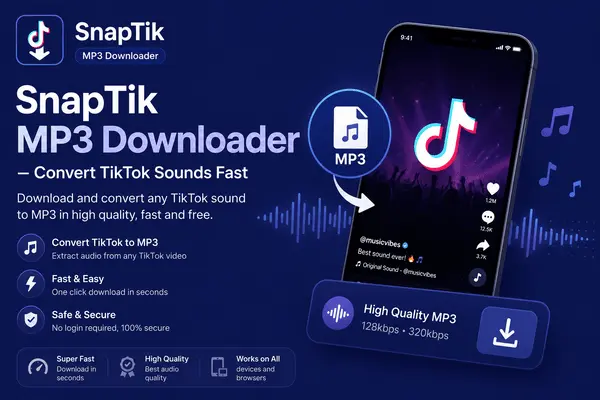
SnapTik MP3 Downloader – Convert TikTok Sounds Fast
TikTok is not just about videos; it’s also a huge source of trending music, viral sounds, and creative audio clips. Many users want to save these sounds separately to enjoy them offline or use them in their own projects.
That’s where SnapTik comes in. SnapTik offers a powerful TikTok to MP3 downloader that lets you extract audio quickly, in high quality, and without a watermark. Whether you are a content creator or a casual user, SnapTik makes the process simple and efficient.
TikTok to MP3 Made Simple
With SnapTik, converting TikTok videos into MP3 audio is incredibly easy. You don’t need to install any apps or software. Everything works directly through your browser.
It supports all devices, including smartphones, tablets, and PCs. This means you can download your favorite TikTok sounds anytime, anywhere.
Step-by-Step Guide to Download TikTok Sounds
Using SnapTik to download MP3 audio is quick and straightforward. Just follow these steps:
1. Find and Copy the TikTok Link
Start by opening TikTok and finding the video that contains the sound you want. Tap on the “Share” button, usually located at the bottom right of the screen, and select “Copy Link.”
You can also copy the URL directly from your browser if you are using TikTok on a computer.
2. Open SnapTik and Paste the Link
Next, go to the SnapTik website in your browser. At the top of the page, you will see a text box. Paste the copied link into this field. On mobile devices, you can simply tap the “Paste” button or use shortcuts like Ctrl+V on a desktop.
3. Click Download
After pasting the link, click the “Download” button. Within seconds, SnapTik will process the file and provide you with an MP3 download option.
Click the download button again to save the audio file to your device.
Why Choose SnapTik for MP3 Downloads?
There are many reasons why SnapTik is a preferred choice for downloading TikTok audio.
- First, it automatically removes watermarks from downloaded content, ensuring a clean and professional result.
- Second, it supports high-quality audio downloads. You get clear and crisp sound that matches the original TikTok audio.
- Another major benefit is compatibility. SnapTik works on all popular browsers such as Chrome, Firefox, Safari, and Edge. It also supports Android, iOS, and PC devices.
Fast and Unlimited Downloads
Speed is one of SnapTik’s strongest features. The tool processes downloads quickly, so you don’t have to wait long. It also offers unlimited downloads. You can convert and save as many TikTok sounds as you want without any restrictions or hidden fees.
Save and Use Audio Anytime
Once you download MP3 files using SnapTik, you can use them in multiple ways. You can listen to them offline, create your own playlists, or even use them as ringtones. Content creators can also use these sounds as background music for their videos or projects. The small file size of MP3 makes it easy to store and manage multiple audio files on your device.
Simple, Clean, and User-Friendly
SnapTik is designed with simplicity in mind. The interface is clean and easy to understand, even for beginners. There are no complicated steps or confusing options. Just copy, paste, and download, it’s that simple.
Important Reminder
While using SnapTik, always respect copyright rules and the rights of content creators. Download audio for personal use or ensure proper permission for public use.
Conclusion
SnapTik makes converting TikTok videos to MP3 fast, easy, and reliable. With its high-quality output, unlimited downloads, and cross-device compatibility, it is a perfect tool for anyone who loves TikTok sounds.
If you want a hassle-free way to save your favorite audio, SnapTik is the ideal choice. Try it today and enjoy your favorite TikTok sounds anytime, anywhere.